
The Kids' Book Blueprint
Plan, create and check a children's activity book before you publish
A 28-page guide for adults creating children's activity books with AI. Covers niche research, page planning, quality checks, KDP setup and selling printables, with nine reusable prompts and a launch checklist.
28 pages · PDF edition
Updated [date pending confirmation] · Instant PDF download
Secure checkout by Stripe · Download link by email
Inside the PDF
What’s inside
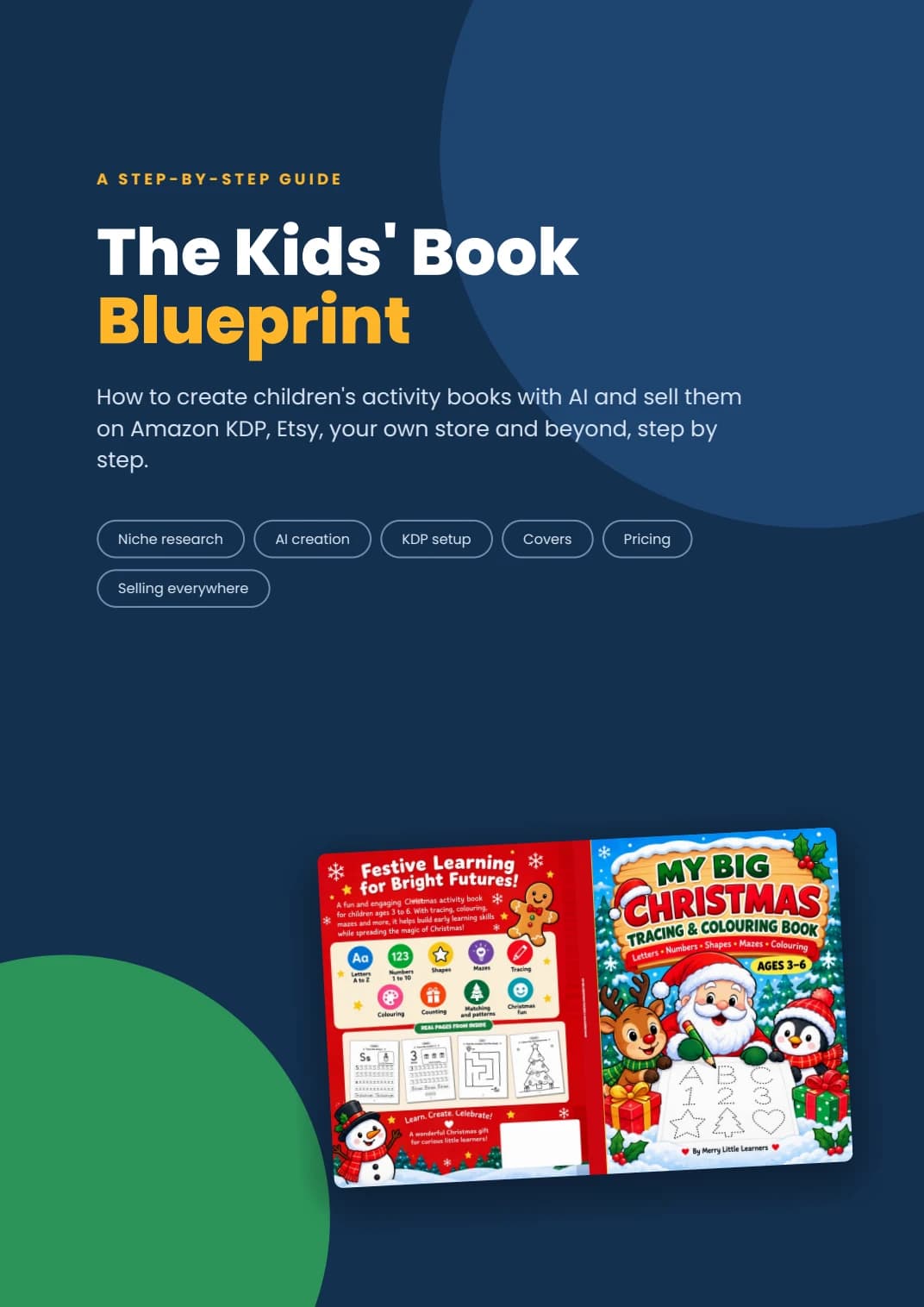
How to create children's activity books with AI and sell them on Amazon KDP, Etsy, your own store and beyond, step by step.
- Compare activity books, colouring books, workbooks and puzzle books for different age groups.
- Research a niche using age, skill and theme, then organise the idea into a page-by-page plan.
- Compare AI image generation with code-generated PDF pages and keep the visual style consistent.
- Check counting answers, mazes, matching activities, spelling and letterforms before publication.
- Work through paperback file preparation, cover sizing, KDP listing fields and pricing examples.
- Plan printable PDF listings beyond Amazon, using the launch checklist and nine-prompt library.
01
Why children's books, and what to expect
An introduction to the publishing workflow, using a 90-page Christmas tracing and colouring book as a case study.
02
Pick the right type of book
A comparison of activity, colouring, early-learning and puzzle books, with age-group and design considerations.
03
Find a niche that actually sells
The research method combines marketplace searches, competitor reviews, age groups, learning skills and seasonal planning. It does not guarantee demand or sales.
04
Plan your book page by page
A page map for the case-study book, moving through pencil control, shapes, letters, numbers, mazes and other activities.
05
Create the interior with AI
Two approaches to making pages: AI image generation and code-generated PDF layouts, with sample prompts and style-consistency guidance.
06
Quality check: the step most people skip
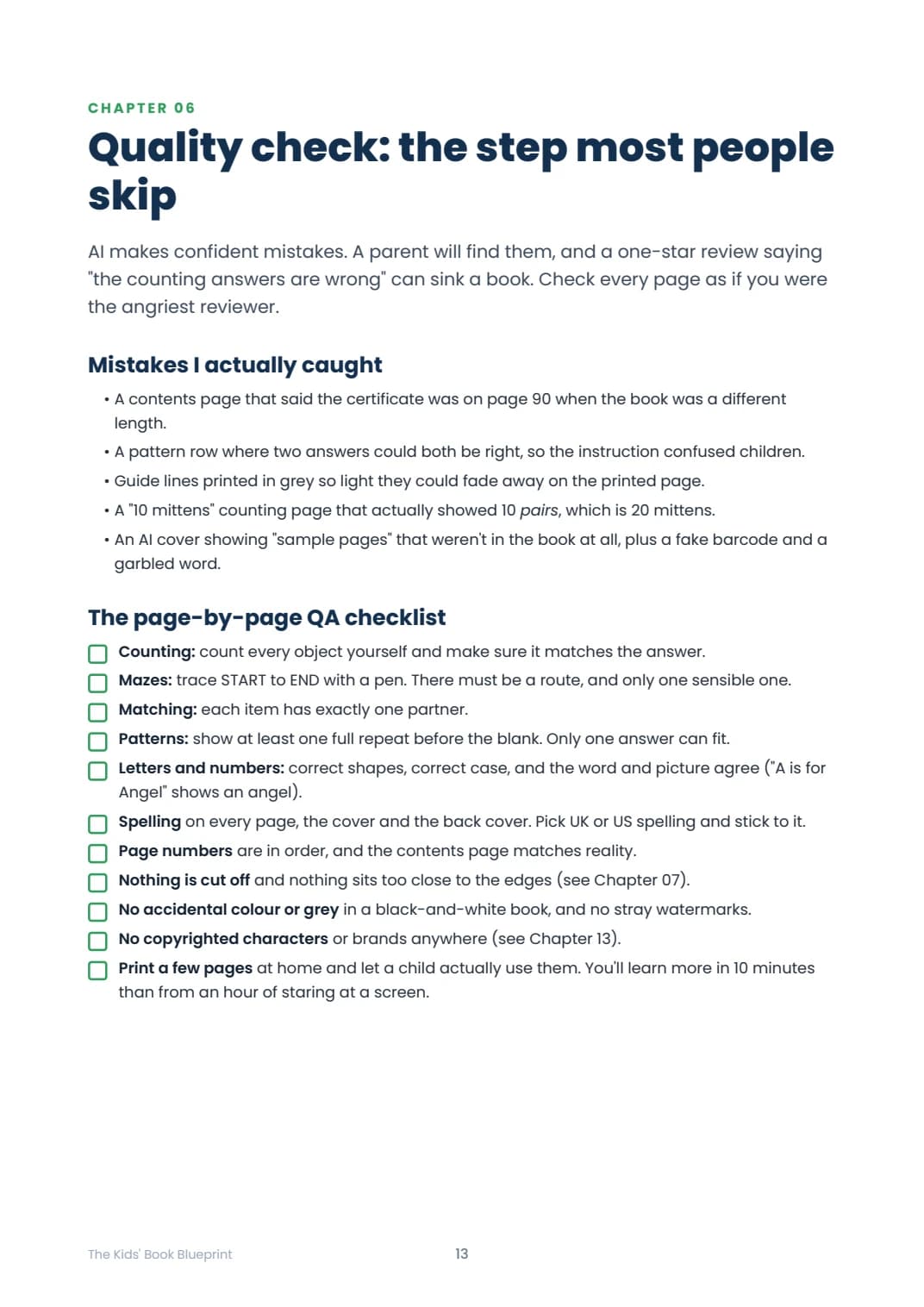
A page-by-page checklist for counting, mazes, matching, patterns, spelling, layout and content consistency.
07
KDP print specs made simple
An introduction to trim size, bleed, margins, fonts and image resolution, with reminders to check current platform specifications.
08
Design a cover that sells (and passes review)
Cover planning, wraparound layout, sizing examples, barcode space and checks for image or text errors. Approval and sales are not guaranteed.
09
Upload to KDP, field by field
A walkthrough of paperback details, content, rights and pricing fields, including preview and proof-copy checks.
10
Pricing and royalties
Illustrative printing-cost and royalty calculations, with guidance to check the current figures for each marketplace.
11
Sell beyond Amazon: Etsy, Gumroad and your own store
Ways to package printable PDFs, smaller activity packs and bundles, with a checklist for digital listings.
12
Get your first sales
An introduction to listing presentation, advertising and organic discovery channels. Marketing outcomes depend on the product and execution.
13
Stay safe: copyright, trademarks and AI rules
Topics to review around commercial-use permissions, third-party characters and brands, AI disclosure and keeping source records.
14
Your launch checklist
A checklist covering research, creation, file preparation, publishing and launch tasks.
15
Prompt library
Nine reusable prompts for niche ideas, page maps, interiors, colouring pages, cover art, descriptions, keywords, quality checks and Etsy listings.
How do you create activity books with AI for Amazon KDP and Etsy?
Choose an age group, learning skill and theme, research comparable books, then plan the pages before generating content. Create the artwork or PDF layouts, check every activity, and prepare files and listings for each platform. The Kids Book Blueprint explains this workflow through a case study, checklists and reusable prompts.
Learn how to plan and publish activity books with AI
Research and plan a specific activity book
Use the niche-research and age-group sections to define the intended reader. Build a page map so the activities and instructions follow a consistent structure.
Create the interior and check each page
Compare image-generation and code-generated PDF approaches. Use the quality checklist to check answers, spelling, letterforms, page numbering and layout.
Prepare paperback and printable files
Review the print-specification and cover chapters, then check current platform requirements for your chosen format. The guide also discusses packaging digital PDF downloads.
Prepare listings and a launch checklist
Work through the listing, pricing and prompt-library sections. Confirm current fees, permissions and content requirements rather than treating the book as a guarantee of approval or sales.
This is an independent educational guide for adult creators. It is not a finished activity book, software package or publishing service, and it does not promise sales or income. Platform rules and costs can change.
Put it into practice
Practical tools
Page-by-page planning map
The case-study structure shows how a 90-page book is organised into tracing, letters, numbers, mazes and other sections.
Quality-check checklist
A checklist for checking activities, instructions, spelling and layout before publishing.
Counting: count every object yourself and make sure it matches the answer. Matching: each item has exactly one partner. Page numbers are in order, and the contents page matches reality.
Launch checklist
Research, creation, file preparation, publishing and launch tasks collected on page 26.
Nine-prompt library
Reusable prompts for niche research, page maps, interiors, illustrations, cover art, descriptions, keywords, quality review and Etsy listings.
Find the right guide
Is this for you?
Who it’s for
- Adults planning their first children's activity book or printable workbook.
- Independent creators exploring both AI illustration and code-generated PDF layouts.
- Publishers who want a structured checklist for checking pages and preparing listings.
- Creators comparing Amazon KDP paperbacks with printable PDF sales channels.
Who it’s not for
- Children looking for activities to complete: this is a guide for adult creators.
- Buyers expecting a ready-made activity book, editable source files, included AI software or a done-for-you publishing service.
- Anyone expecting guaranteed income, sales or platform approval.
Before you decide
Your questions, answered
How do I receive the guide?
Immediately after payment you are taken to a secure download page, and a download link is emailed to you as well.
What format is it?
A PDF you can read on a phone, tablet or laptop, or print at home.
What is the refund policy?
This is an instant digital download. If the file will not download, is corrupt, or is not as described, contact support@brightleaf.store for help. Read the full refund policy below for cancellation terms, remedies and your statutory rights.
Which country is this guide written for?
The guide discusses Amazon marketplaces with US dollar, UK pound and euro examples, uses inch-based print dimensions, and mentions US Letter and A4 printable versions. It is not country-specific legal or tax advice. Check platform availability, fees, taxes and requirements for your own country.
Is this an activity book for children?
No. The Kids' Book Blueprint is a 28-page publishing guide for adults. It explains how to plan, create, check and list activity books. The illustrated Christmas workbook is a case study, not a separate finished workbook included with this purchase.
How do I create kids activity books with AI?
The guide starts with a reader age, learning skill and theme, then builds a page map. It compares AI-generated illustrations with code-generated PDF pages and includes prompts for both. Every generated page still needs human review for accuracy, suitability and rights.
Does the book explain Amazon KDP setup?
Yes. It covers interior files, trim size, bleed, margins, cover preparation and paperback listing fields. It also discusses proof copies and pricing examples. Check current KDP requirements and your own publishing rights before uploading.
Can I use it to plan printable activity books for Etsy?
Yes. The guide includes digital-download packaging, listing ideas, a reusable Etsy listing prompt and a discussion of other channels such as Gumroad, Payhip and your own store. Each platform has its own eligibility, content and fee requirements.
Do I need to know how to code?
The book presents both an image-generator route and a route where an AI assistant writes code to produce PDF pages. It includes prompts to describe the desired result. You still need to use your chosen tools, review their output and resolve any errors; this purchase is not a software service.
What tools and templates are included?
The PDF contains a case-study page map, a page-by-page quality checklist, a launch checklist and nine reusable prompts. These are inside the PDF, not separate editable template or software downloads.
Does this guarantee sales or KDP approval?
No. The book does not guarantee income, sales or acceptance by any platform. Results depend on the product, market, quality, timing, costs and execution. You are responsible for meeting current platform requirements.
Is this an official Amazon or Etsy guide?
No. It is an independent guide and is not affiliated with or endorsed by Amazon, KDP, Etsy or the other tools and platforms discussed.
Read our refund policy and terms & conditions. Need help? Contact Brightleaf.
Your digital edition
The Kids' Book Blueprint
How to create children's activity books with AI and sell them on Amazon KDP, Etsy, your own store and beyond, step by step.
Instant PDF download